App translations, in one shared workspace.
Bring your app’s strings. Draft with people or agents, review each language, and return translations to your repository.
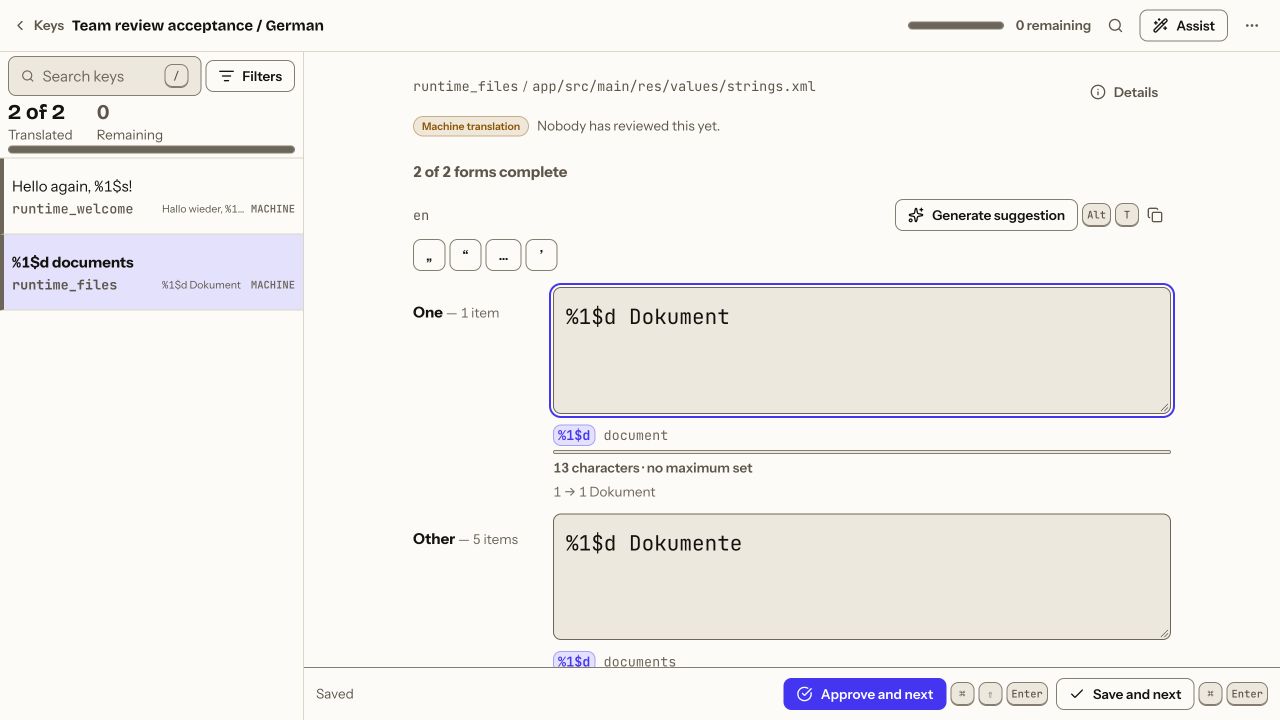
From source strings to reviewed translations.
-
Bring your strings
Push from the CLI or import a file. Keep the formats your app already uses.
-
Create draft translations
Write translations yourself or let an agent propose them with your project context.
-
Review before approval
Inspect the source and suggested wording. Accept agent drafts, then approve translations separately.
-
Export into your app
Pull approved translations, inspect the diff and run the checks configured for your release.



Your agent drafts. Your team reviews.
Your coding agent can draft translations. Lingvo keeps your glossary, string context and translation status together.
You or your team review the suggestions and approve translations separately.
See what Lingvo addsThe right forms for each language.
Russian uses the singular form for 21, but not 11. Try the counter to see the form change.
Lingvo checks required plural forms and placeholders. Add the QA command to CI to stop on configured errors.
- one21 товар
- few21 товара
- manynot translated yet
- other21 товара
Keep your app’s resource formats.
-
Android XMLvalues-ru/strings.xml
<plurals name="items"> <item quantity="one"> %d товар </item> </plurals> -
Appleru.lproj/Localizable.stringsdict
<key>NSStringPluralRuleType</key> <key>one</key> <string>%d товар</string> <key>few</key> <string>%d товара</string> -
JSON · nestedlocales/ru.json
"items": { "one": "{count} товар", "few": "{count} товара", "many": "{count} товаров" } -
YAMLconfig/locales/ru.yml
ru:
  items:
    one: "%{count} товар"
    few: "%{count} товара"
    many: "%{count} товаров"
and seven more
- iOS .strings
- JSON (flat)
- Java properties
- CSV
- XLIFF 1.2
- Gettext PO
- Apple String Catalog
Start with one file.
Translate one language, review the changes, and export the result back into your app.
Use your existing localization files.